
new
Front-end features
Google Address AutoFill
Lower the number of errors in the address field
You can spend a lot of time trying to find an address if a customer has come to make mistakes in the information. For example, it can be in a zip code or city. Often this results in a dialogue with the customer in question, who can then provide the correct information.
This means that time passes, while the customer becomes more and more impatient - even if it's not your fault.
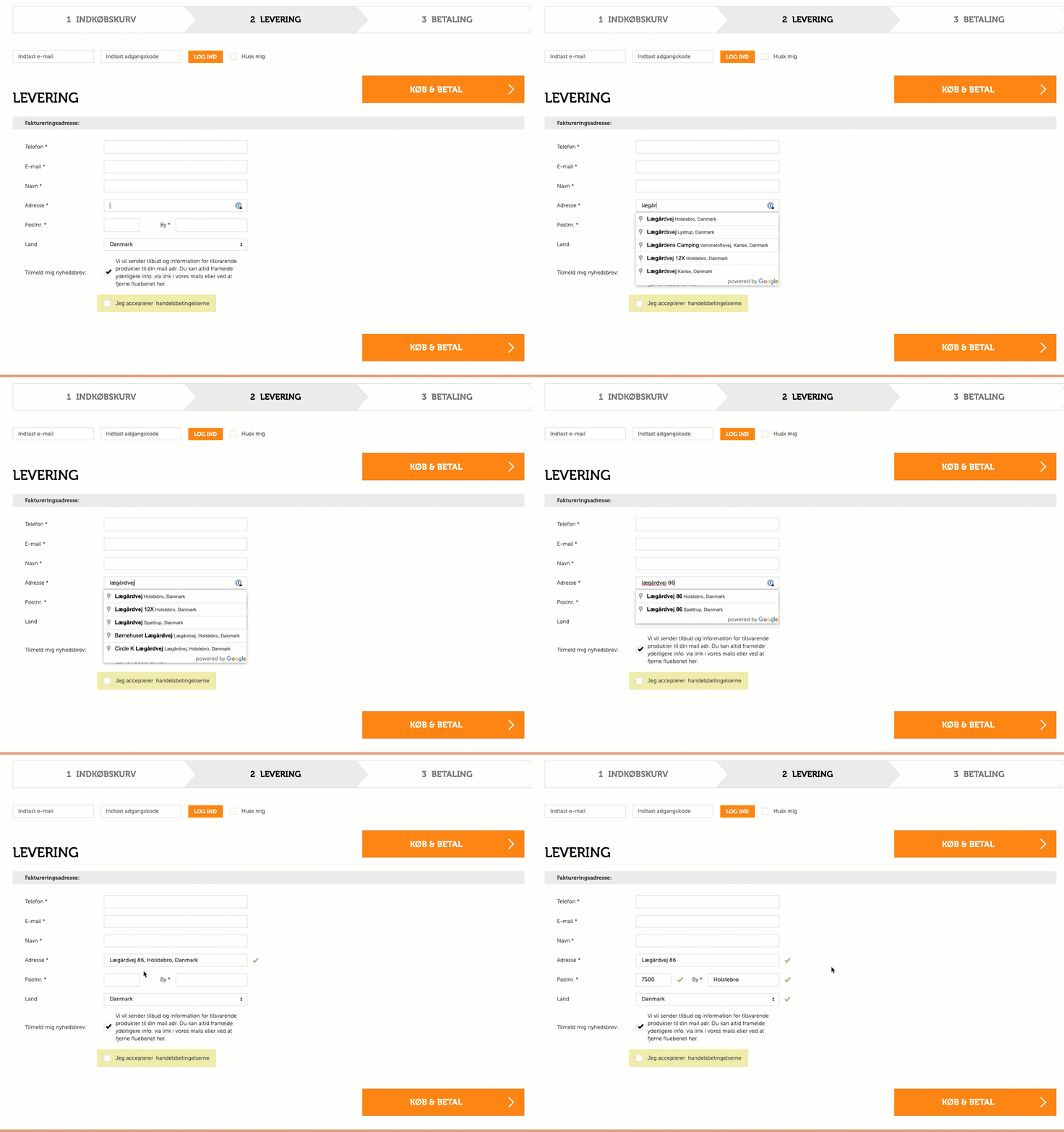
You can now lower the number of these errors by enabling Google AutoFill on 'Delivery Address' and 'Invoice Address'. This feature helps your customers to enter their address correctly.
A Google places API key must be used for setup.
If you already have an API, make sure it is set up in Google Cloud Console.
Follow this link to see how:
Contact Customer Service for help with this.